How much weight can a desk hold? 100 to 300 lb
The Wooden Stars is a participant in the Amazon Services LLC Associates Program. We may earn a commission when you buy through links on our site, at no extra cost to you.
How much weight can a desk hold? 100 to 300 lb spread across the top — but the number that matters is not the total, it is how much sits in the middle of the span.
Desks rarely break. They sag, permanently, and nobody notices until a straight edge goes across the top.
Typical static ratings: 100 to 150 lb on particleboard and MDF tops, 150 to 250 on solid timber, 200 to 300 on a thick hardwood or butcher block top, and 150 to 350 on an electric standing frame — where the frame’s lift rating, not the top, is the limit. Real desk loads are small: two 24-inch monitors are 20 to 30 lb, a desktop tower 20 to 35, a laptop and dock under 10. The failure mode is not collapse, it is creep — a slow permanent sag under constant load, worst at mid-span on anything over 48 inches without a centre support.
How much weight can a desk hold, by construction
- Particleboard with laminate: 100 to 150 lb. Sags first and does not recover.
- MDF with veneer: 120 to 180. Stiffer than particleboard, heavier, still creeps.
- Solid timber, 1 inch: 150 to 250.
- Solid timber or butcher block, 1.5 to 2 inches: 200 to 300 and effectively creep-proof at normal loads.
- Electric standing frame: 150 to 350, set by the motors. The rating usually includes the top’s own weight.
Two things follow. A heavy solid top can use up a standing frame’s rating before you put anything on it — a 60-inch butcher block is 60 to 80 lb. And the published number is for a spread load; concentrated in the middle it means much less.

| Item | Weight | Note |
|---|---|---|
| 24 in monitor | 8 to 14 lb | Two is 20 to 30 lb |
| 27 to 32 in monitor | 15 to 25 lb | Arm moves it off the top |
| Desktop tower | 20 to 35 lb | Better on the floor |
| Laptop and dock | 6 to 10 lb | Negligible |
| Printer | 12 to 30 lb | Concentrated, awkward |
| A person sitting on it | 150 to 250 lb | Not what it was designed for |
Span, not weight, is the variable
A desktop is a beam supported at its ends. Deflection rises with the cube of the span: double the unsupported length and the sag goes up eightfold at the same load.
That is why the same 1-inch top is perfectly stiff at 48 inches and visibly bowed at 72.
Practical rules:
- Up to 48 inches unsupported: a 1-inch solid top is fine.
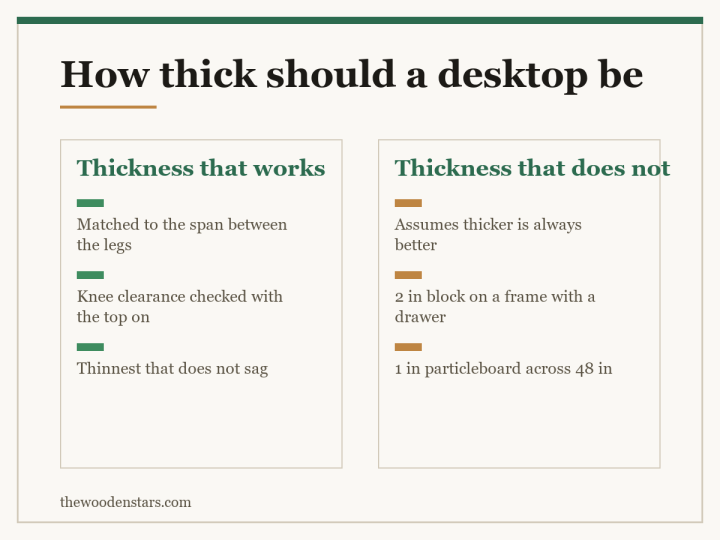
- 48 to 60: go to 1.25 to 1.5 inches, or add a stretcher between the legs.
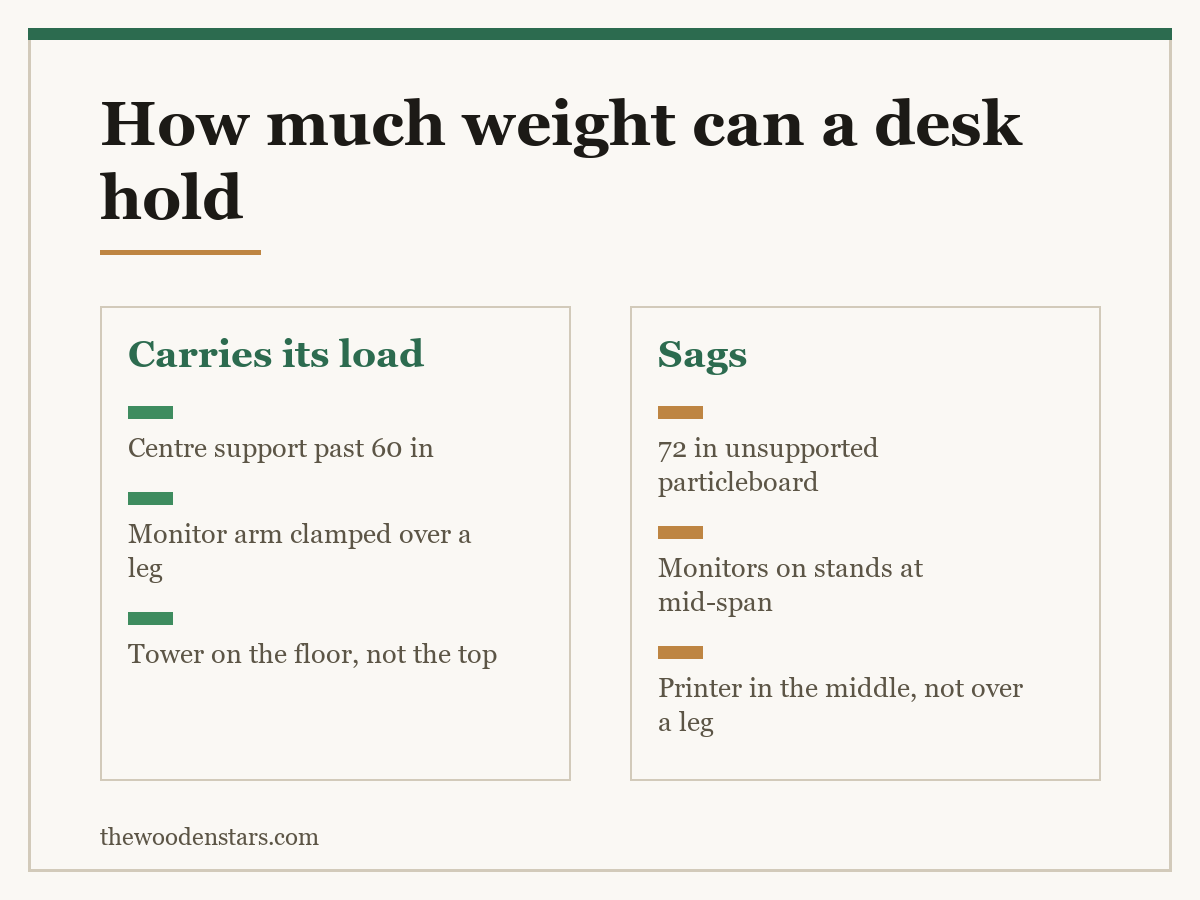
- Past 60: add a centre support — a third leg, a pedestal, or a steel frame rail.
- Any engineered board past 48: assume it will creep, and support it.
The width decision is where this gets made, and it is covered in how wide a desk should be. Thickness is in how thick a desktop should be, and the material difference in engineered wood against hardwood.
Creep, which is the failure nobody names
Put a constant load on a shelf or a desktop and it deflects immediately by some amount. Leave it there for two years and it deflects further — the material slowly yields under sustained stress. Remove the load and most of that second deflection stays.
Solid timber creeps slowly. Particleboard creeps fast, which is why a cheap desk with a monitor in the middle develops a dip you can see against a straight edge within about eighteen months, and why the same thing happens to loaded bookshelves — how to fix a sagging bookshelf is the same physics.
Three things that prevent it, in order of effect:
Shorten the span. A centre support does more than any amount of extra thickness.
Move weight off the top. A monitor arm clamps to the edge and puts the load over a leg rather than mid-span. A tower belongs on the floor. These two changes typically halve what the top is carrying.
Keep heavy things over the supports. A printer at the end of the desk above a pedestal is carried by the pedestal. The same printer in the middle is carried by the top.
Standing desks, where the rating is real
On a fixed desk the rating is advisory. On an electric frame it is a motor specification, and exceeding it means the desk stalls, jerks, or refuses to lift.
Three things to check:
Does the rating include the top? Usually yes. Subtract your top’s weight — 40 to 80 lb for solid timber at 48 to 60 inches — before comparing with what you plan to put on it.
Single or dual motor. Single-motor frames sit at the bottom of the range and lift more slowly under load. Dual motor is what a heavy hardwood top wants.
Anti-collision. An overloaded frame with a drawer unit under it will drive the desk into the drawer. Storage that travels with the top is the cleaner arrangement — standing desk with drawers.
What to check before loading a desk
The unsupported span, measured between the inside faces of the legs — not the desk’s overall width.
The top’s real material. “Wood finish” on a listing usually means laminate over particleboard — what “all wood” actually means applies to desks identically.
How the top attaches. A top screwed to a frame carries load into the frame. A top resting loose on trestles carries all of it itself — mounting a butcher block desktop.
The legs. Four slim legs at the corners are the worst arrangement for a long top, and the commonest — wooden desk legs. If it already moves, how to fix a wobbly desk.
Keeping a top flat
- Monitor arm Moves 15 to 25 lb off mid-span and onto the desk edge
- Desk support leg A third leg is worth more than any extra thickness
- Straight edge or level The only way to see creep before it is obvious
- Furniture levellers An unlevel desk twists the top as well as rocking
What to buy



For sizing, see how wide a desk should be and how thick a desktop should be. For the type, desk against table and desk with drawers against without.
Questions we get asked
How much weight can a desk hold?
One hundred to 300 lb spread across the top, depending on material and thickness. Standing frames are rated 150 to 350 by their motors.
Why does my desk sag if nothing broke?
Creep — a slow permanent deflection under constant load. Particleboard creeps fastest and does not recover.
Does the span matter more than the weight?
Yes. Deflection rises with the cube of the span, so doubling the unsupported length multiplies the sag eightfold.
How heavy are two monitors?
Twenty to 30 lb for two 24-inch screens. Well within any rating, but badly placed at mid-span.
Does a standing desk rating include the top?
Usually. Subtract 40 to 80 lb for a solid timber top before comparing with your equipment.
Can I sit on my desk?
It is 150 to 250 lb concentrated at one point, usually mid-span. It is the single worst load a desktop sees.