How wide should a TV stand be? Screen plus 6 in
The Wooden Stars is a participant in the Amazon Services LLC Associates Program. We may earn a commission when you buy through links on our site, at no extra cost to you.
How wide should a TV stand be? Wider than the screen — by at least 6 inches total, and by 12 to 24 if you want it to look right rather than merely work.
A screen that overhangs its stand reads as a mistake from across the room, even when it is perfectly stable.
The rule: TV stand width = screen width + 6 inches minimum, and +12 to 24 inches looks properly proportioned. Screens are measured on the diagonal, so a 55-inch TV is about 48 inches wide and wants a stand of 54 to 66. Quick conversions: 43-inch screen → 38 inches wide; 55 → 48; 65 → 57; 75 → 66. If the TV is wall-mounted, the stand is furniture rather than support, and you size it to the wall or the screen, not to a load. The other constraint is the feet: many TVs sit on two outboard feet spanning nearly the full screen width.
How wide should a TV stand be for each screen
Screen sizes are diagonals. The width you actually need is roughly 87% of the diagonal for a 16:9 panel.
- 43-inch TV: about 38 inches wide → stand 44 to 55.
- 50-inch: 44 inches → stand 50 to 60.
- 55-inch: 48 inches → stand 54 to 66.
- 65-inch: 57 inches → stand 63 to 75.
- 75-inch: 66 inches → stand 72 to 84.
The lower figure in each pair is the functional minimum; the upper is where the proportion looks deliberate. Below the screen width the TV overhangs, which is both unstable and visually wrong.

| Screen | Screen width | Minimum stand | Looks right |
|---|---|---|---|
| 43 in | 38 in | 44 in | 48 to 55 in |
| 50 in | 44 in | 50 in | 55 to 60 in |
| 55 in | 48 in | 54 in | 58 to 66 in |
| 65 in | 57 in | 63 in | 66 to 75 in |
| 75 in | 66 in | 72 in | 78 to 84 in |
| 85 in | 74 in | 80 in | 84 to 96 in |
The feet are the real constraint
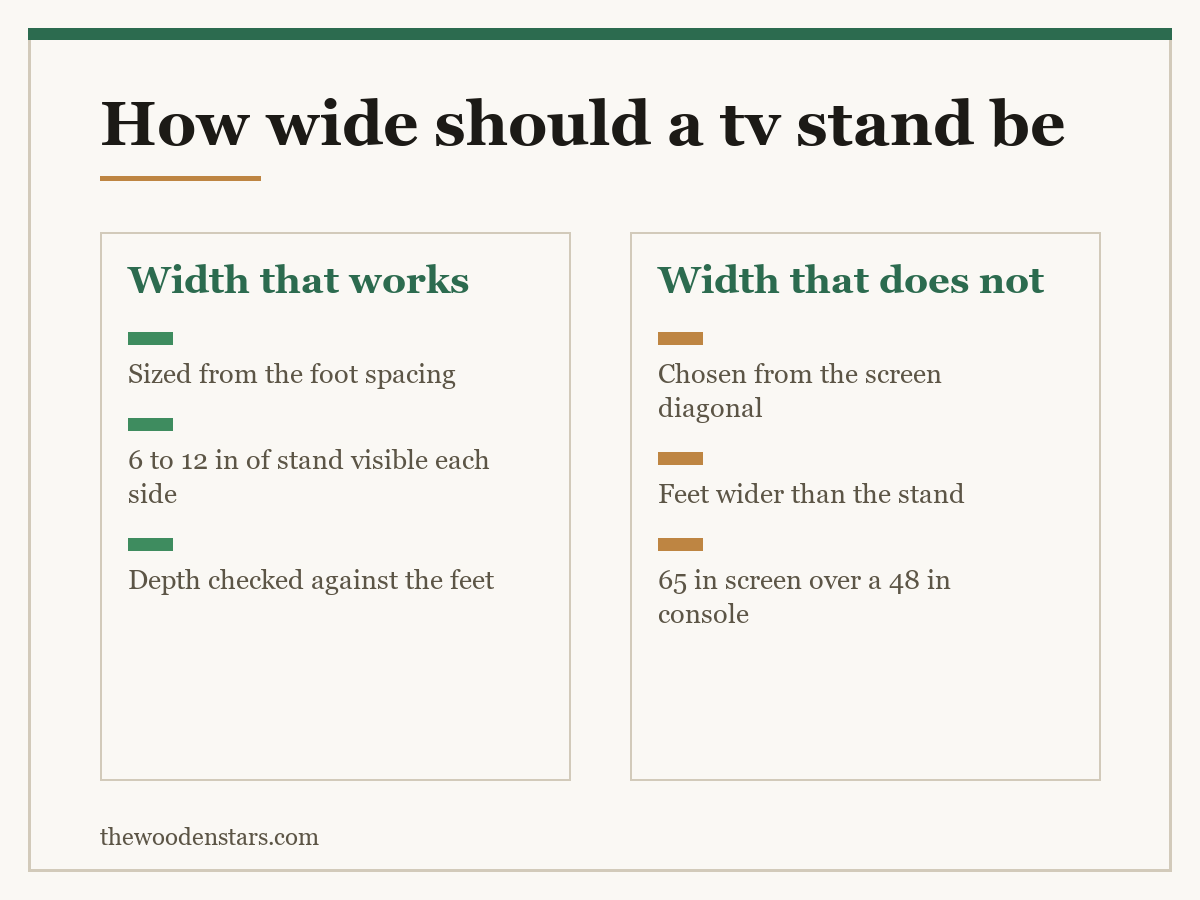
Most modern televisions have abandoned the central pedestal. They sit on two outboard feet placed near the ends of the panel, and those feet often span 80 to 95% of the screen width.
That changes the problem. A 65-inch TV with feet 52 inches apart cannot sit on a 48-inch stand at all — not “it will overhang”, but the feet have nothing under them.
So before buying:
- Find the foot spacing in the TV’s specification, not the screen width. Manufacturers list it as “stand width” or “foot distance”.
- Add 4 inches so each foot sits fully on the top with margin.
- Check the depth too. Feet are 10 to 14 inches front to back, and a 14-inch-deep stand leaves nothing behind them.
Where the stand is already bought and the feet do not fit, a universal tabletop mount replaces both feet with one central pedestal — the cheapest fix in this whole category.
When the TV is on the wall
Wall-mounting changes the question entirely. The stand carries no screen weight, so it becomes furniture and the sizing rules relax into proportion.
Match the wall, not the screen. A common guide is two-thirds of the wall’s width, which usually lands wider than the TV and looks settled.
Never narrower than the screen. A 65-inch TV above a 48-inch console looks top-heavy however securely it is fixed.
Height matters more than width now. Screen centre wants to be at seated eye level, about 42 inches from the floor, which sets how tall the console below can be — how tall a TV stand should be.
A dresser or sideboard often does this job better than a purpose-made stand, because it is deeper and has real storage — how tall a dresser should be and media console with storage.
What else the width has to carry
Kit beside the screen. A soundbar is 35 to 45 inches and usually goes in front of the TV rather than beside it, but a console, a streaming box and a router want shelf width of their own.
Ventilation. Boxes in a closed cabinet need airflow. Leave 2 inches at the sides of anything that gets warm, and prefer an open shelf or a cabinet with a vented back.
Cables. A wide stand is easier to route behind, and a cut-out in the back panel is worth more than an extra drawer.
Weight. A 65-inch TV is 45 to 60 lb, which any solid stand handles — the ratings are in how much weight a TV stand can hold.
If the room is tight, the honest answer is a narrower screen rather than a narrower stand — TV stand for small spaces and TV stand against media console.
One thing that makes the whole calculation easier: most manufacturers publish a dimensions diagram in the product listing’s image gallery rather than in the spec table. It shows the panel width, the foot spacing and the foot depth in one drawing. It is usually the third or fourth image and almost nobody opens it, which is why so many stands arrive slightly too narrow.
Sizing it properly
- Tape measure Foot spacing from the TV spec, not the screen diagonal
- Universal tabletop TV mount Replaces two outboard feet with one central pedestal
- Anti-tip TV straps For a screen sitting on its feet rather than wall-mounted
- Cable management box What keeps a wide stand looking like furniture
What to buy


For height and load, see how tall a TV stand should be and how much weight a TV stand can hold. For the format, TV stand against media console and TV stand for small spaces.
Questions we get asked
How wide should a TV stand be?
At least 6 inches wider than the screen, and 12 to 24 inches wider to look properly proportioned.
How wide is a 55-inch TV?
About 48 inches. Screen sizes are diagonals, and a 16:9 panel is roughly 87% of the diagonal in width.
Why do my TV’s feet not fit?
Outboard feet often span 80 to 95% of the screen width. Check the foot spacing in the spec, not the screen size.
What if the stand is too narrow for the feet?
A universal tabletop mount replaces both feet with a single central pedestal.
Does the rule change for a wall-mounted TV?
Yes. The stand carries no weight, so size it to the wall — about two-thirds — but never narrower than the screen.
Can a dresser work as a TV stand?
Often better than a purpose-made one. It is deeper, has real storage, and 30 to 34 inches is the right height.